Can several receptionists work the same clinic queue at once?
Yes. Each desk, doctor's room and kiosk signs in as its own station. Two receptionists on the same queue see each other's changes immediately, and nobody pays for a login per person.
By ATA ATA, practising optometrist · Last updated:
Stations, not logins
The unit that signs in is a station: this desk, that doctor's room, the kiosk by the door. Not a person.
That sounds like a small distinction and it decides how the whole clinic behaves. A shared login gives you a queue nobody is accountable for. A login per person means the second receptionist cannot sit at the first one's desk during a break without signing in and out. A station is the thing that stays in one place and gets used by whoever is standing at it, which is how a front desk actually works.
Two people, one queue, no collisions
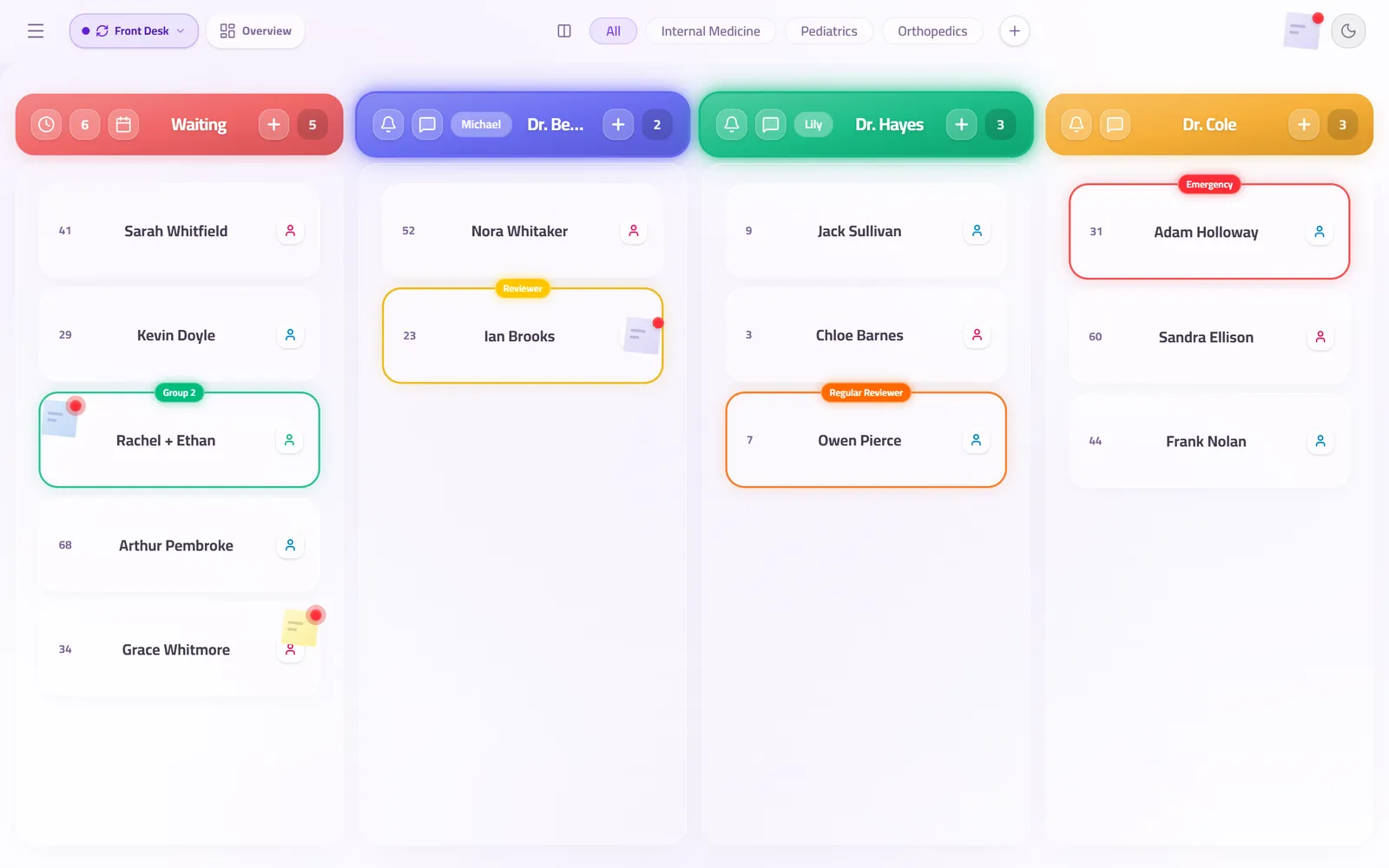
Both desks see the same board, and a change made at one appears at the other as it happens — not on a refresh, and not on a timer.
So the second receptionist does not check in a patient the first one has already taken, and neither of them calls a patient the doctor has already started with. The board is the shared truth of the room, and there is only one of it.
And the day shows where it slowed
The analytics are built from the same board both desks work. They show the busiest hours, the average wait, and how long each doctor spent with a patient.
That is the difference between knowing that forty patients came through and knowing where the morning slowed down: which hour the queue built up, which room ran long, and whether the answer is staffing or scheduling.
Questions clinics ask before they start
How many stations can one clinic have?
As many as it has places where somebody works the queue: several desks, a room per doctor, a kiosk at the door.
Does a doctor's room need its own station?
It helps. A room signed in as itself can call its own next patient without asking reception to do it, which is the interruption most clinics are trying to remove.
What happens if two people move the same patient at the same moment?
The board resolves it and both screens end up showing the same thing. There is no version of the queue that exists only on one desk.
Related guides
- What are the best team communication tools for doctors and reception staff?
The one that knows which patient you mean. Walking over and phone calls interrupt a consultation, and a WhatsApp group puts patient names on personal phones. A chat built into the queue lets a doctor's room and the desk message each other about the patient card they are both looking at, without leaving the board.
- How do you run walk-ins and appointments in one clinic queue?
Put both on the same ordered board and let reception decide the order in the moment. The conflict between a booked patient and a walk-in is a judgement call, and software that automates it makes the wrong call in public.
- How long does it take to set up a clinic queue system?
A clinic is usually taking real patients the same morning. Add your doctors, rooms and desks, print the QR code for the door, and open the screen URL on the television.
See it with your own queue in it.
Open the demo and you are standing inside a working clinic — doctors mid-session, patients in line, screens calling names. Nothing to install, nothing to sign.
Open the live demo