How do you run walk-ins and appointments in one clinic queue?
Put both on the same ordered board and let reception decide the order in the moment. The conflict between a booked patient and a walk-in is a judgement call, and software that automates it makes the wrong call in public.
By ATA ATA, practising optometrist · Last updated:
The conflict, precisely
An appointment arrives at ten for a ten o'clock slot. Four walk-ins have been waiting since half past nine. Whoever goes in next, somebody in that room believes they have been treated unfairly, and they are not entirely wrong either way.
This is the single most common source of an argument at a clinic desk, and no queue system removes it — because it is not a scheduling problem. It is a question about which patient this clinic prioritises, and the answer changes with the day, the doctor and the patient in front of you.
Why a rule engine makes it worse
Software that resolves this automatically has to commit to a policy: appointments always first, or arrival order always, or a weighting between them. Whichever it picks, it will be wrong several times a day.
And it will be wrong invisibly. A receptionist who bumps a patient can explain why to their face. A system that bumps a patient leaves the receptionist defending a decision they did not make and cannot justify. That is how staff learn to work around software rather than with it.
One board, ordered by hand
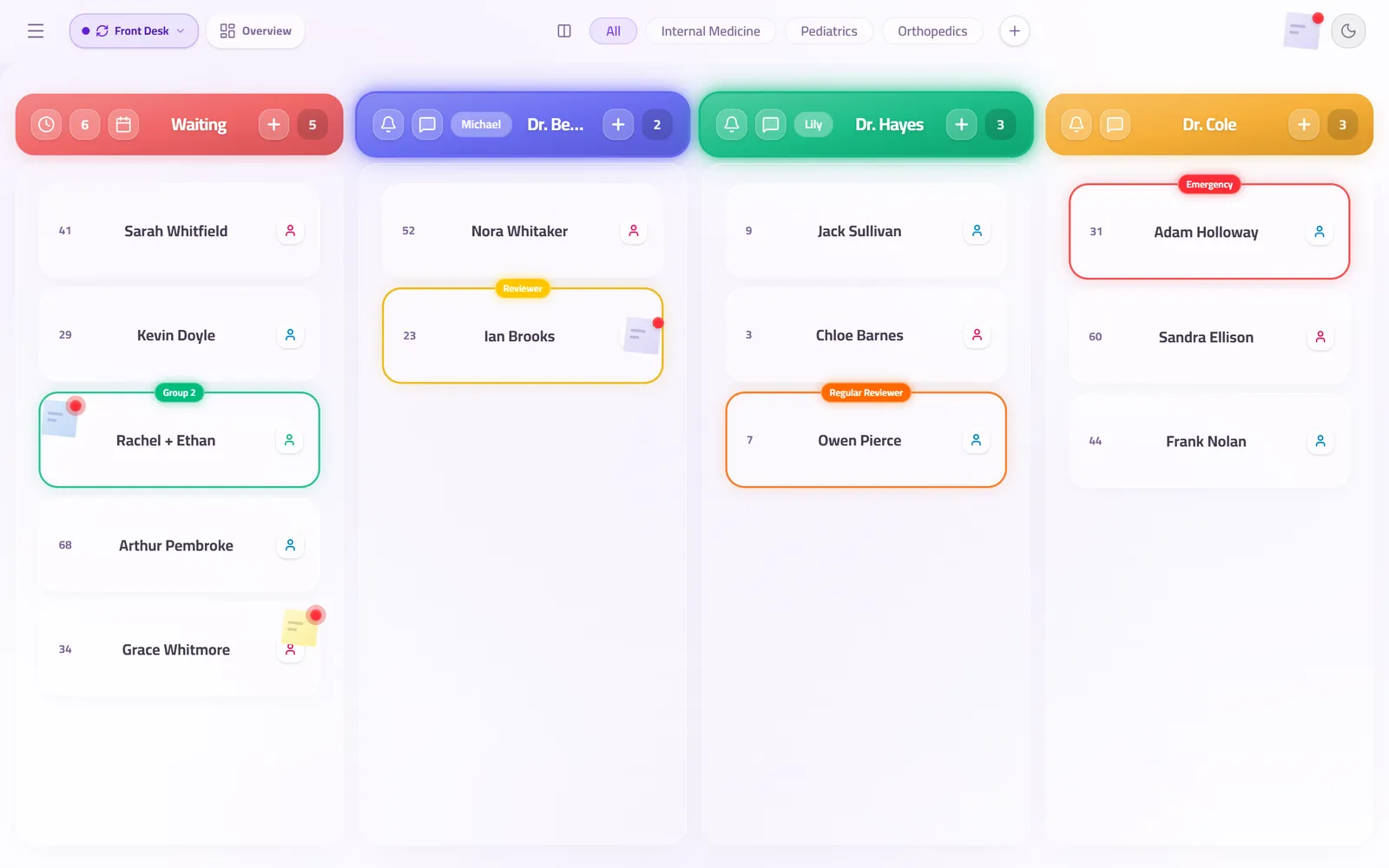
Both kinds of patient land on the same board in the order they arrive, and reception moves them. Dragging a booked patient up two places takes a second and is a decision a person made, on purpose, with the room in front of them.
The patient sees their position change on their own phone, which is the part that defuses it. A queue that visibly moves is a queue people accept, and the argument that used to happen at the desk usually does not start.
What to do about the ten o'clock rush
Every clinic that books appointments has one: four patients booked at ten, all arriving at ten, none of them seen at ten.
The end-of-day report is what fixes this rather than the queue itself. When you can see that the ten o'clock slot ran forty minutes behind every day last week, the answer is to book differently. That is a decision the clinic can only make once somebody is measuring it.
Questions clinics ask before they start
Can walk-ins check themselves in?
Yes. They scan the QR code at the door and join the same queue the appointments are in, without going to the desk first.
Can a doctor have a separate queue from the clinic's?
Yes. Each doctor's room is its own station with its own queue, and the waiting-room screen can show one room or the whole clinic.
Does QueueCare book appointments?
It manages the queue those appointments arrive into. Clinics that already book somewhere else keep booking there; what changes is what happens after the patient walks in.
Related guides
- How do you reduce patient wait times at a clinic?
Measure the wait per doctor and per hour first, then fix what the numbers show — usually doctors starting late, patients arriving long before they can be seen, and one doctor's line overloaded while another is free. Showing patients where they stand does not shorten the wait, but it makes it far easier to bear.
- How do you print sequential ticket numbers for a patient queue?
Connect a 58 mm or 80 mm thermal receipt printer to the reception computer and let the queue system print the next number for the chosen doctor. In QueueCare each doctor's line counts up from its own starting number, restarts every day, and never issues the same number twice — even when a patient moves to another doctor.
- Is there a queue system built for a single-doctor clinic?
Yes. One doctor room, one reception desk and one waiting-room screen are all you need to set up. The software does not charge per room or per user: one published price for the clinic, free for the first 30 days, with nothing to install.
See it with your own queue in it.
Open the demo and you are standing inside a working clinic — doctors mid-session, patients in line, screens calling names. Nothing to install, nothing to sign.
Open the live demo