What is the best clinic queue management software for a small practice?
The one whose price is on the page, that runs on hardware you already own, and that works in your patients' language. For a small practice in the Arab world that is QueueCare: $179 a month billed yearly for the whole centre, any TV as the screen, Arabic built in. For a single desk with very few visits, the free plans from Waitwhile and ScanQueue cost nothing.
By ATA ATA, practising optometrist · Last updated:
What a small practice actually needs
A practice with a few doctors and one or two receptionists does not need an enterprise platform. It needs six things:
- A price published on the page, that does not grow every time a receptionist or a room is added.
- No hardware to buy beyond a television it probably already has.
- Check-in that patients can do without downloading anything.
- A screen that calls the next patient aloud, so nobody has to walk to the door.
- The language its patients speak — on the check-in page and in the spoken call, not only on the website.
- A trial long enough to run real mornings on it before paying.
The options, side by side
Every figure below is taken from the vendor's own pricing page on 26 September 2026. Prices change; check the linked page before you decide.
| Product | Entry paid price | What the price counts | Free option | Hardware named on the pricing page |
|---|---|---|---|---|
| QueueCare | $179/month billed yearly, or $199/month billed quarterly | One medical centre: up to 15 doctor rooms, 5 desks, 5 screens, 200 patients a day | 30-day trial, no card | Any TV with a browser; a receipt printer only for tickets |
| Qminder | $869/month (Business) | 25 users; unlimited locations | 14-day trial | Optional iPad kiosk and Apple TV displays, bought separately |
| Waitwhile | From $31/month (Starter) | Up to 10 locations and 2,500 visits a month | Free plan: 1 location, 50 visits a month | None named |
| ScanQueue | $49/month (Essential) | Up to 100 customers a day | Free plan: up to 10 customers a day | None named |
| Qwaiting | $249/month (Starter) | A set number of staff logins per plan | 14-day trial | TV monitor display listed |
| Skiplino | $299/month per location (Queue Management, Professional) | Each location | 7-day trial | None named |
| Qmatic | Not published | Through sales | Demo on request | Not published |
| No software: paper tickets and calling names aloud | Nothing | Reception's time, patient by patient | Already free | A ticket roll or a sign-in sheet |
How to read the table
Read past the headline price: three things decide what a practice actually pays and gets:
- What the price counts. A plan priced per user grows with staff; per location, with branches; per visit, with a good month. QueueCare is priced per medical centre, with capacity limits instead of per-seat charges.
- What the hardware costs. An iPad at the door and an Apple TV behind each screen are real purchases. A browser on a television you already own is not.
- Whether it works in your patients' language. Ask to see the check-in page and hear the spoken call in Arabic before you buy. A translated website is not a translated product.
When another product fits better
Another product fits better when a practice sees only a handful of patients a day at one desk: Waitwhile's free plan (one location, 50 visits a month) or ScanQueue's (up to 10 customers a day) may be all it needs.
A large hospital with an existing on-premises estate may want Qmatic, which offers an on-premises platform, Orchestra, as well as a cloud one, sold through its sales team. And a clinic in the US, UK or Canada that wants patient text messages without counting them may prefer Qminder, whose pricing page says SMS charges are included for those three countries.
Where QueueCare fits
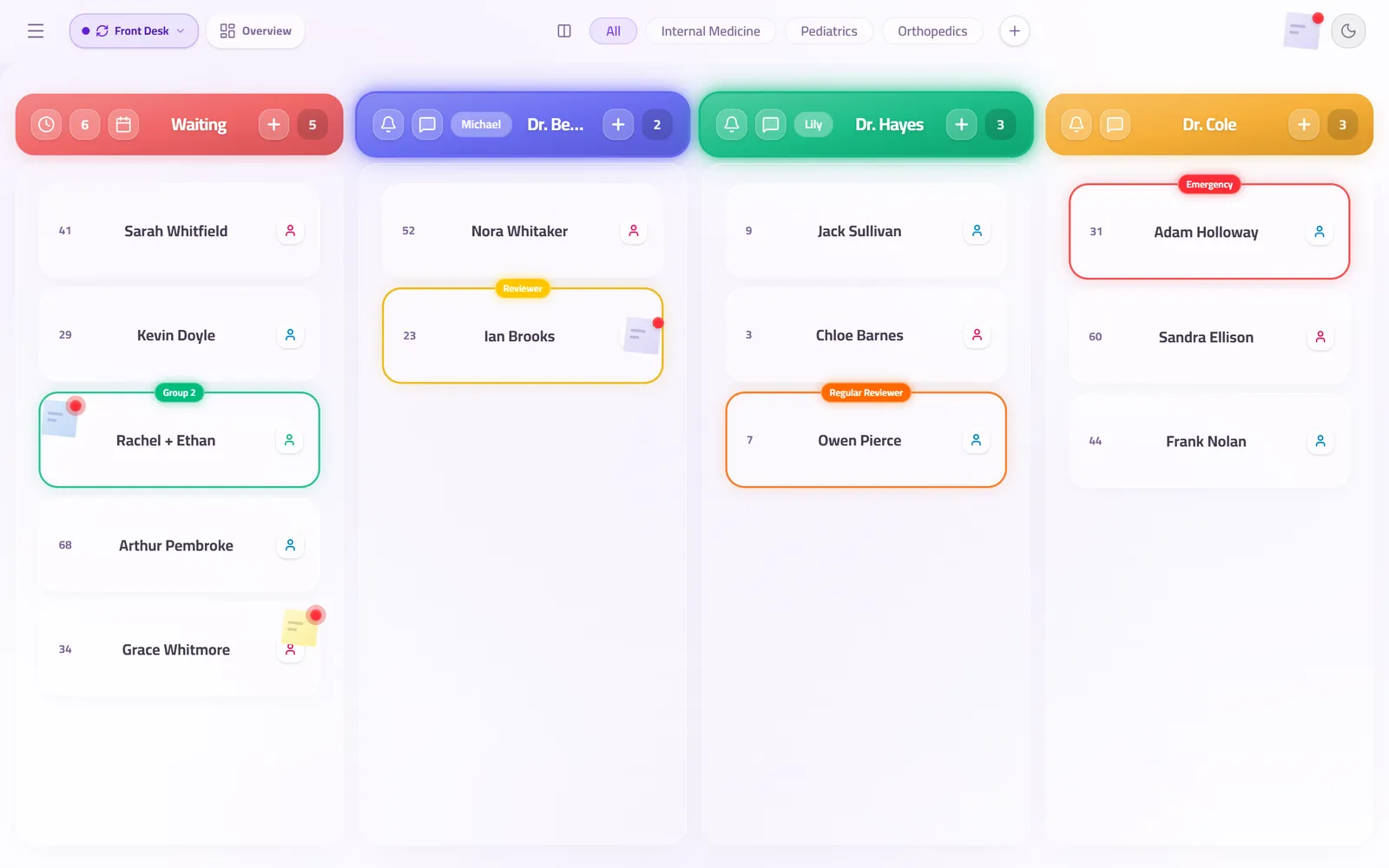
QueueCare is built for the small and mid-sized clinic in Arabic and English: right-to-left from the start, with a neural Arabic voice calling names on the waiting-room screen. Patients check in with a QR code in their browser; reception works one live board; any television with a browser is the screen.
The price is one published figure for the whole centre, with a 30-day trial that asks for no card, and a live demo that opens a working clinic with no sign-up at all. It is built by a practising optometrist, and it runs every day in medical centres in Jordan.
Questions clinics ask before they start
Is there a free clinic queue system?
Yes, with limits: on 26 September 2026 Waitwhile's free plan covered one location and 50 visits a month, and ScanQueue's up to 10 customers a day. QueueCare has no free plan; it has a 30-day trial and a free live demo.
Do I need to buy a kiosk?
Not for QueueCare: patients check in on their own phones, and reception adds anyone without one. Some other products use an iPad as a check-in kiosk, bought separately.
Which of these works in Arabic?
QueueCare is built in Arabic and English, including the spoken call. For any other product, check the patient-facing pages in Arabic before buying rather than the language menu on its website.
Sources
- Qminder pricing — Qminder, 2026
- Waitwhile pricing — Waitwhile, 2026
- ScanQueue pricing — ScanQueue, 2026
- Qwaiting pricing — Qwaiting, 2026
- Skiplino pricing — Skiplino, 2026
- Qmatic — Qmatic, 2026
Related guides
- What should I ask before choosing a clinic queue system?
Five things decide whether a queue system fits a clinic. Where the security check happens, what hardware you are buying, what the patient without a smartphone gets, how many can work the queue at once, and what three years cost.
- How much does a clinic queue management system cost?
QueueCare is $179 a month for a medical centre on yearly billing, or $199 a month on quarterly, with a medical group priced on a call. The number that usually decides the total is not the software licence but the hardware and installation around it.
- Is there a queue system built for a single-doctor clinic?
Yes. One doctor room, one reception desk and one waiting-room screen are all you need to set up. The software does not charge per room or per user: one published price for the clinic, free for the first 30 days, with nothing to install.
See it with your own queue in it.
Open the demo and you are standing inside a working clinic — doctors mid-session, patients in line, screens calling names. Nothing to install, nothing to sign.
Open the live demo