What is the best way to call the next patient in a waiting room?
Say it out loud and show it at the same time. A spoken announcement reaches the patient who is not looking; a screen reaches the one who did not hear.
By ATA ATA, practising optometrist · Last updated:
Three ways, and how each one fails
Every clinic uses one of these, and the differences only show up on a busy morning:
- A nurse at the door calling a name. It works, and it costs a member of staff a walk and an interruption every few minutes. In a loud room the patient at the back does not hear it either.
- A number on a display. Nobody has to speak, and it only reaches patients who happen to be looking at it. A patient reading their phone misses their number entirely.
- A spoken announcement from the screen. It reaches the room whether or not anybody is watching, and it repeats without costing anybody a walk.
The failure that actually costs
It is not the wait. It is the patient who was in the room, missed the call, and has to be worked back into the queue. Usually with an apology, sometimes with an argument, and always at the expense of everybody behind them.
That patient is why announcing matters more than displaying. A display assumes attention. A voice does not.
Names or numbers
A name is easier to hear and impossible to miss when it is yours. A number is anonymous, which in a shared waiting room is sometimes the whole point.
Where the law has a view, it is usually about what is said rather than whether a name is. In the US, the Department of Health and Human Services says physicians' offices may call out patients' names, as long as what is disclosed is limited — the name, not the reason for the visit.
So it is a setting rather than a doctrine. A clinic that prints tickets announces the number; a clinic that does not announces the name. Both are called the same way, from the same screen, and the choice belongs to the clinic rather than to the software.
Say it in the language the room speaks
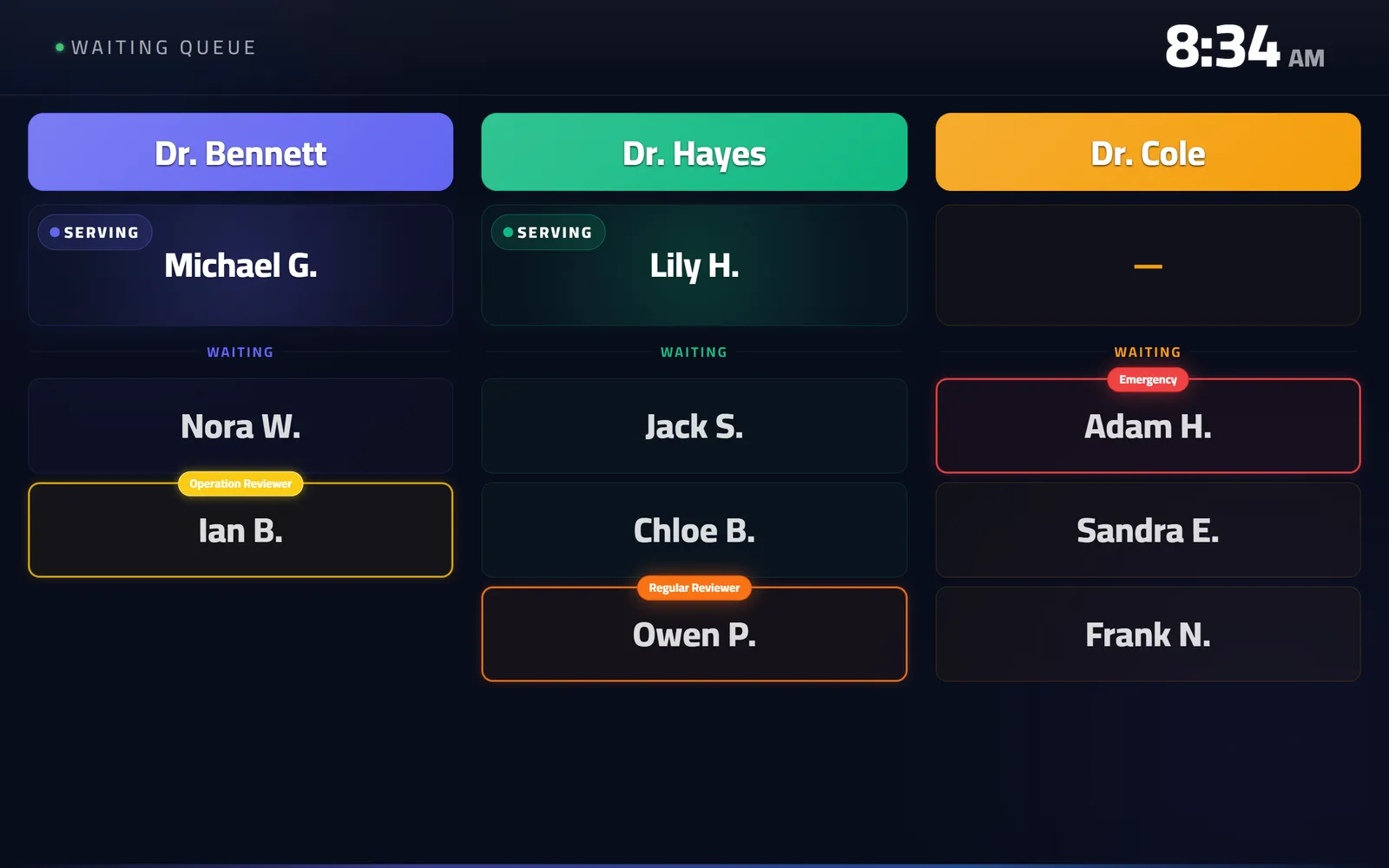
An announcement in the wrong language is a display with extra noise. QueueCare speaks Arabic with a neural voice, and English, and a clinic can run either — or both, on different screens.
This matters more than it sounds. A synthetic voice mispronouncing a patient's name in front of a full room is worse than silence, which is exactly why most systems retreat to numbers.
Questions clinics ask before they start
Can the announcement repeat if nobody responds?
Yes — a call can be repeated from the board without anybody walking to the door.
What comes out of the speakers — the television's own?
Yes. The waiting-room screen is a web page on the television, and the announcement plays through that television's speakers. There is no separate audio system.
Can we run a screen with the sound off?
Yes. A screen in a quiet corridor can display without announcing, while the main waiting-room screen speaks.
Sources
- May physician's offices use patient sign-in sheets or call out the names of their patients in their waiting rooms? (FAQ 199) — U.S. Department of Health and Human Services, 2022
Related guides
- What hardware do I need for a clinic waiting-room screen?
Any television or monitor that can open a web page — a smart TV's own browser is enough, and so is an inexpensive streaming stick plugged into a screen you already own.
- Does clinic queue software actually work in Arabic?
QueueCare does, completely: right-to-left layout rather than a mirrored English one, a spoken Arabic call on the waiting-room screen, Arabic printed tickets, and Arabic names throughout the queue.
- How do you print sequential ticket numbers for a patient queue?
Connect a 58 mm or 80 mm thermal receipt printer to the reception computer and let the queue system print the next number for the chosen doctor. In QueueCare each doctor's line counts up from its own starting number, restarts every day, and never issues the same number twice — even when a patient moves to another doctor.
- What data privacy laws apply to clinic patient queues, and is the data safe in the cloud?
The law of the country the clinic is in — HIPAA in the US, the GDPR in the EU, and the personal data protection laws of Jordan, Saudi Arabia and the UAE — and under most of them a patient's name beside a doctor's counts as health data, the most protected kind. In the cloud, the data is safe only if each clinic's data is isolated and every request is authorised on the server, not by hiding what the browser may ask for.
See it with your own queue in it.
Open the demo and you are standing inside a working clinic — doctors mid-session, patients in line, screens calling names. Nothing to install, nothing to sign.
Open the live demo